Frontend Engineering
Engineering Notes
Practical lessons from building Angular applications in production, from signals and Angular Material to component architecture and performance.
Frontend Engineering
Practical lessons from building Angular applications in production, from signals and Angular Material to component architecture and performance.
We help teams design maintainable Angular frontends, modernize legacy applications, and mentor engineering teams during delivery.
Talk to an EngineerSignals don't replace change detection, they make it targeted. The difference only becomes visible once you compare what Angular actually does for a signal-tracked value versus a plain class field.
A signal is a reactive value container. When the signal value changes, Angular automatically updates the places where that signal is read.
import { Component, signal } from '@angular/core';

@Component({
  selector: 'app-root',
  imports: [RouterOutlet],
  templateUrl: './app.html',
  styleUrl: './app.css'
})
export class App {
  protected readonly title = signal('demo1');
  firstName: string = "Payal"

  changeValue(){
    this.title.set("Title changed")
    this.firstName="Kanika"
  }
}This template renders both values. After clicking the button, Angular re-renders and you can observe what changed.
<main class="main">
  <div class="content">
    <button (click)="changeValue()">
      Change Title
    </button>
    {{firstName}}
    {{title()}}
  </div>
</main>title and firstName, the difference isn't whether the UI updates, it's how much work Angular does to get there.
Plain variable: "Check everything to see what changed."
Signal: "I will tell you exactly what changed."
Correct idea: signals change how Angular checks for updates, not the basic rule of how DOM updates are rendered.
1) Click event happens. 2) Angular starts update processing.
title.set(): Angular marks this signal change and updates title()-dependent bindings efficiently.firstName is a normal variable: it is not signal-tracked, so Angular evaluates it through regular change detection.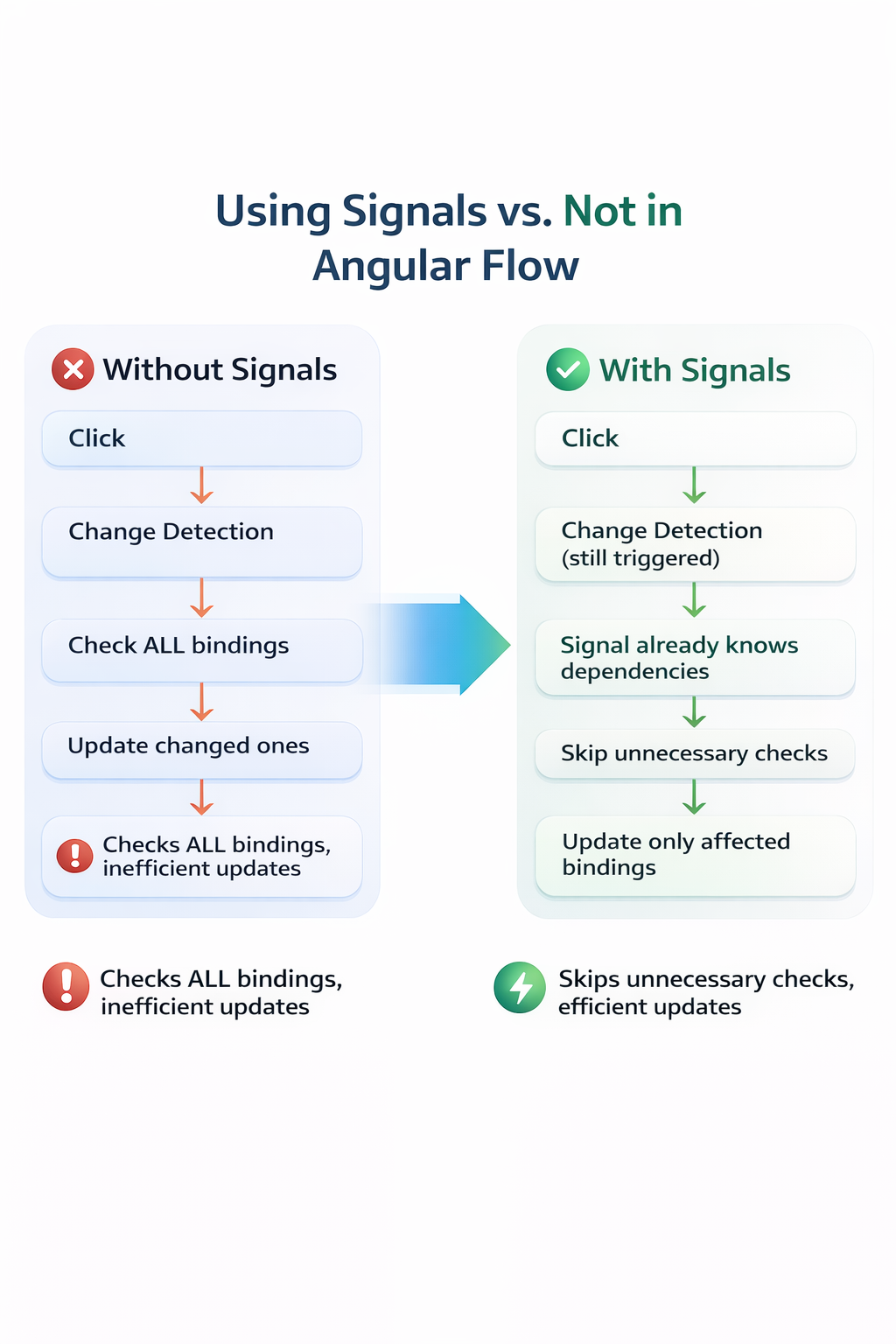
Signals can work without full change detection in advanced setups like zone-less Angular.
In normal Angular apps, change detection still runs, and signals optimize that process.
Signals do not eliminate change detection. They make it smarter and more efficient, so only the necessary parts of the UI update.
readonly and model() together look like they should lock a value down completely. They don't, and the distinction between "locking a reference" and "locking data" trips up experienced developers, not just beginners.
You are working with Angular and have the following code:
import { Component, model } from '@angular/core';

@Component({
  selector: 'app-root',
  templateUrl: './app.html'
})
export class App {
  readonly title = model<string>('demo1');

  changeValue() {
    this.title.set('Title changed');
  }
}Template usage for the same model value:
<button (click)="changeValue()">Change Title</button>
<p>{{ title() }}</p>this.title.set('Title changed') on a readonly field does not throw, and it does not silently fail. It updates the value successfully, readonly only blocks reassigning title itself, not calling methods on it.
The readonly keyword in TypeScript does not freeze the value. It only prevents reassignment of the variable itself.
this.title = model('new value'); // Errorthis.title.set('Title changed'); // WorksHere, you are not replacing title. You are updating the value inside the model object.
model() returns an object (signal-like structure).readonly locks the reference..set() updates internal state of that same object.readonly does not freeze the value.
It only prevents reassignment of the variable reference.
One-line summary: readonly protects the reference, not the data inside the signal/model.
Topics