Angular Material
Guides, patterns & best practices.
Deep dives into Angular Material UI, signals, reactivity, component patterns, and more.
Angular Material
Deep dives into Angular Material UI, signals, reactivity, component patterns, and more.
Need help with Angular Material projects or want personalized training?
Contact Us for TrainingSignals help you manage reactive state with less boilerplate and predictable UI updates, which fits perfectly with Angular Material component-driven interfaces.

A signal is a reactive value container. When the signal value changes, Angular automatically updates the places where that signal is read.
import { Component, signal } from '@angular/core';

@Component({
  selector: 'app-root',
  imports: [RouterOutlet],
  templateUrl: './app.html',
  styleUrl: './app.css'
})
export class App {
  protected readonly title = signal('demo1');
  firstName: string = "Payal"

  changeValue(){
    this.title.set("Title changed")
    this.firstName="Kanika"
  }
}This template renders both values. After clicking the button, Angular re-renders and you can observe what changed.
<main class="main">
  <div class="content">
    <button (click)="changeValue()">
      Change Title
    </button>
    {{firstName}}
    {{title()}}
  </div>
</main>What should be the output when the button is clicked? Is it going to track only changes to signal or plain string as well?
Plain variable: "Check everything to see what changed."
Signal: "I will tell you exactly what changed."
Correct idea: signals change how Angular checks for updates, not the basic rule of how DOM updates are rendered.
1) Click event happens. 2) Angular starts update processing.
title.set(): Angular marks this signal change and updates title()-dependent bindings efficiently.firstName is a normal variable: it is not signal-tracked, so Angular evaluates it through regular change detection.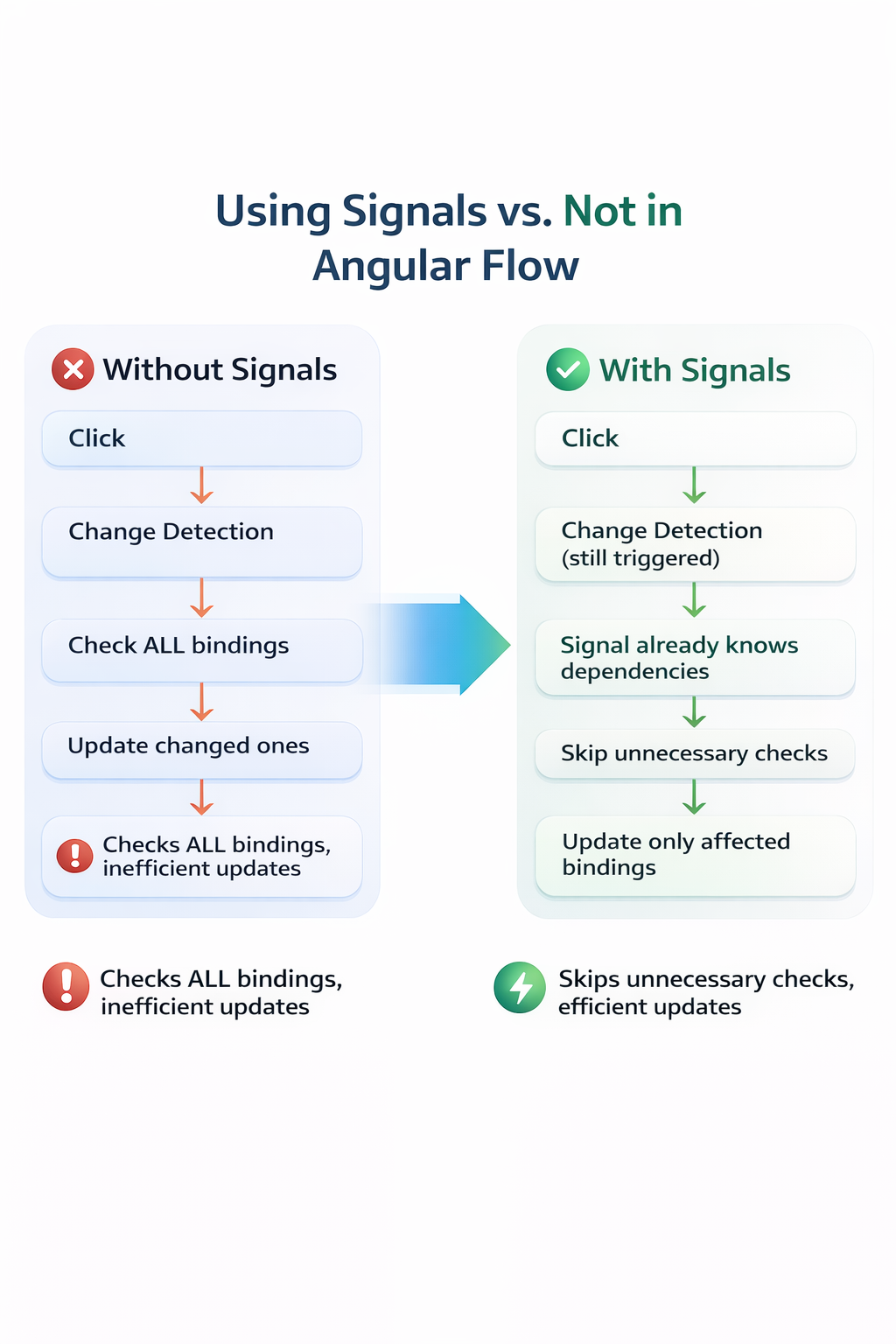
Signals can work without full change detection in advanced setups like zone-less Angular.
In normal Angular apps, change detection still runs, and signals optimize that process.
Signals do not eliminate change detection. They make it smarter and more efficient, so only the necessary parts of the UI update.
A common confusion is whether readonly blocks signal/model updates. This topic clarifies what readonly protects and what updates are still valid.
You are working with Angular and have the following code:
import { Component, model } from '@angular/core';

@Component({
  selector: 'app-root',
  templateUrl: './app.html'
})
export class App {
  readonly title = model<string>('demo1');

  changeValue() {
    this.title.set('Title changed');
  }
}Template usage for the same model value:
<button (click)="changeValue()">Change Title</button>
<p>{{ title() }}</p>What will happen when changeValue() is called?
The readonly keyword in TypeScript does not freeze the value. It only prevents reassignment of the variable itself.
this.title = model('new value'); // Errorthis.title.set('Title changed'); // WorksHere, you are not replacing title. You are updating the value inside the model object.
model() returns an object (signal-like structure).readonly locks the reference..set() updates internal state of that same object.readonly does not freeze the value.
It only prevents reassignment of the variable reference.
One-line summary: readonly protects the reference, not the data inside the signal/model.
Topics